Career lattice
Stop answering ‘what do I need for the next level?’ from memory.
Write down the skills each role needs. Employees see the moves open to them, up and sideways, and turn a gap into a development goal in one step.
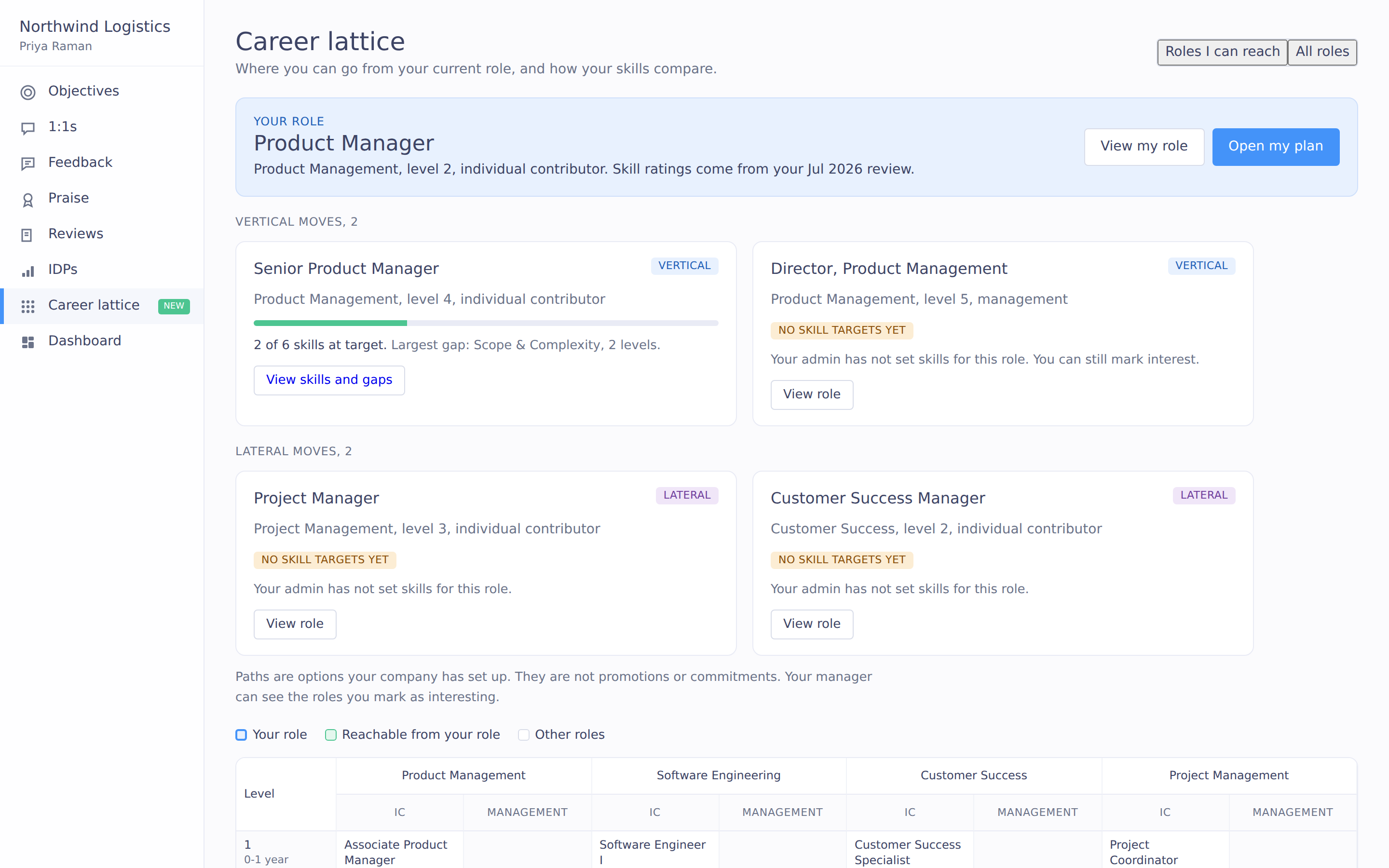
careerlattice
Employees ask what it takes to move up, and managers answer from memory.
Without written role expectations, the answer depends on which manager you ask. Employees who can't see a next step are left to guess what it takes.
Written expectations
Each role lists the skills and target ratings it needs
Paths beyond promotion
Moves up and sideways
Clear gaps
The gap between target and last review rating for each skill
One step to a plan
Add a gap as a skill-linked development goal
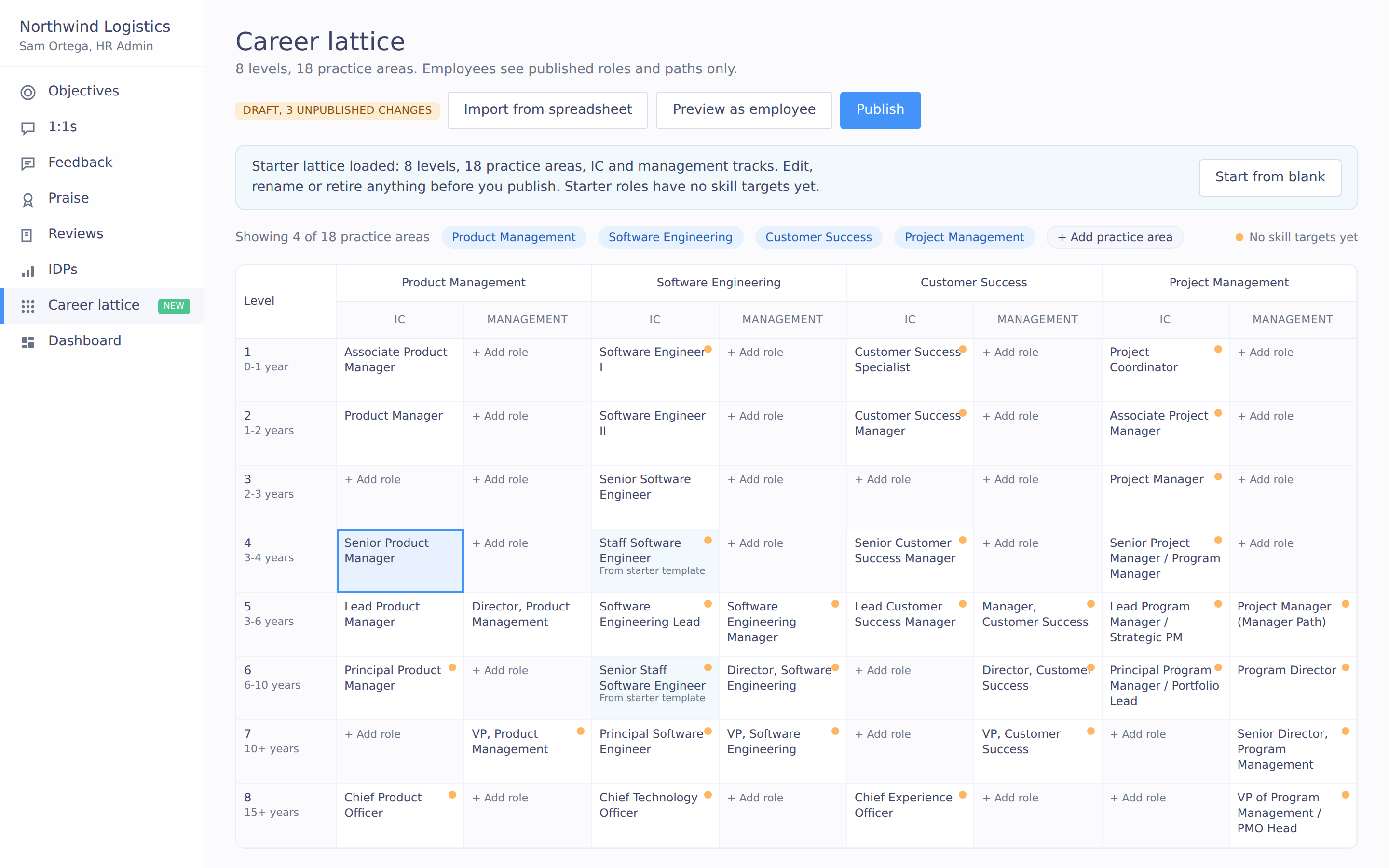
Write down what each role requires, once
HR sets up job families and levels once, then sets the skills each role needs with a target rating from Not yet to Expert. Start from a starter lattice or import from a spreadsheet, and publish when ready.

Employees can see their next step
Employees see the roles they can move to above and beside their own, and how their latest review ratings compare with each one. Paths are shown as options and are not promises of promotion.
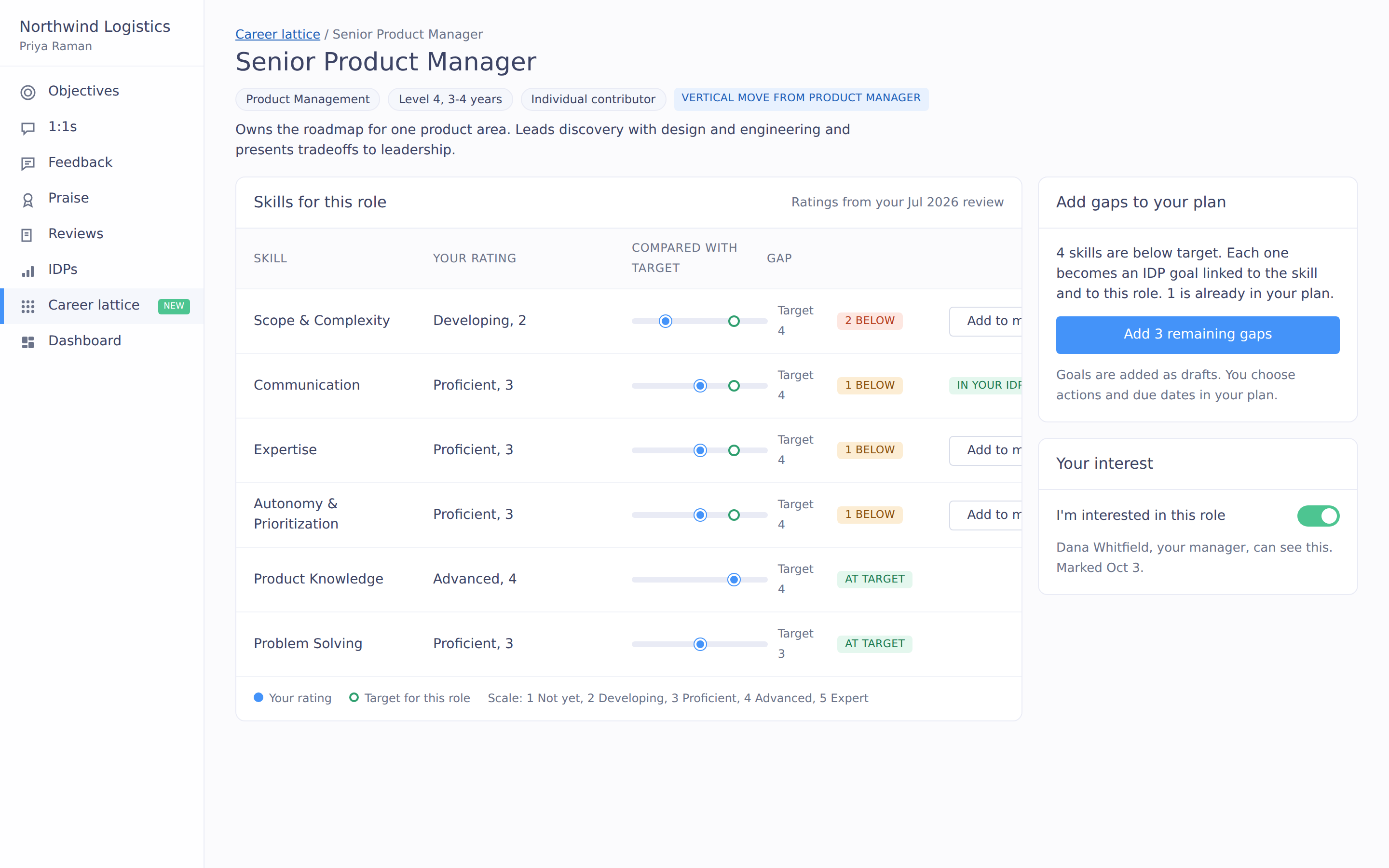
Turn a skill gap into a development goal
Pick a skill gap on a target role and add it as a development goal, linked to the skill and the role. Managers open the same view for a direct report in a 1:1 and turn a gap into an action.
Your adaptability, understanding, and flexibility have been instrumental to our small organization where continuous change is inevitable.
Set up with an HR expert
Someone who's run HR helps you import your roles and review the draft with you before it's published.
“If you come onboard, the CX team genuinely cares and is always jumping into the mix and helping us figure things out.”
Patricia Amato, Chief of Staff, Chief Executive Magazine
Common questions
Do we have to build the lattice from scratch?
No. Start from a starter lattice or import from a spreadsheet, and keep changes in draft until you publish.
Does showing a path promise a promotion?
No. Paths are shown as options, and employees see how their latest review ratings compare with each role's skills.
How does a gap become a plan?
Pick a skill gap on a target role and add it as a development goal, linked to the skill and the role.
Works with the rest of Impact
Employees see where they stand against a role using ratings they already received. A gap becomes an IDP goal in one step, and managers open the same view in a 1:1. The talent grid also shows each person's next role.
See the career lattice with your own roles.
We will walk through a starter lattice and how a gap becomes a development goal.