Objectives (OKRs)
Know which company goals are on track without chasing anyone for an update.
Company goals and the team and individual goals under them sit in one tree. Owners update key results as the work moves, Impact flags anything that stalls, and leadership reads the rollup instead of running a status meeting.
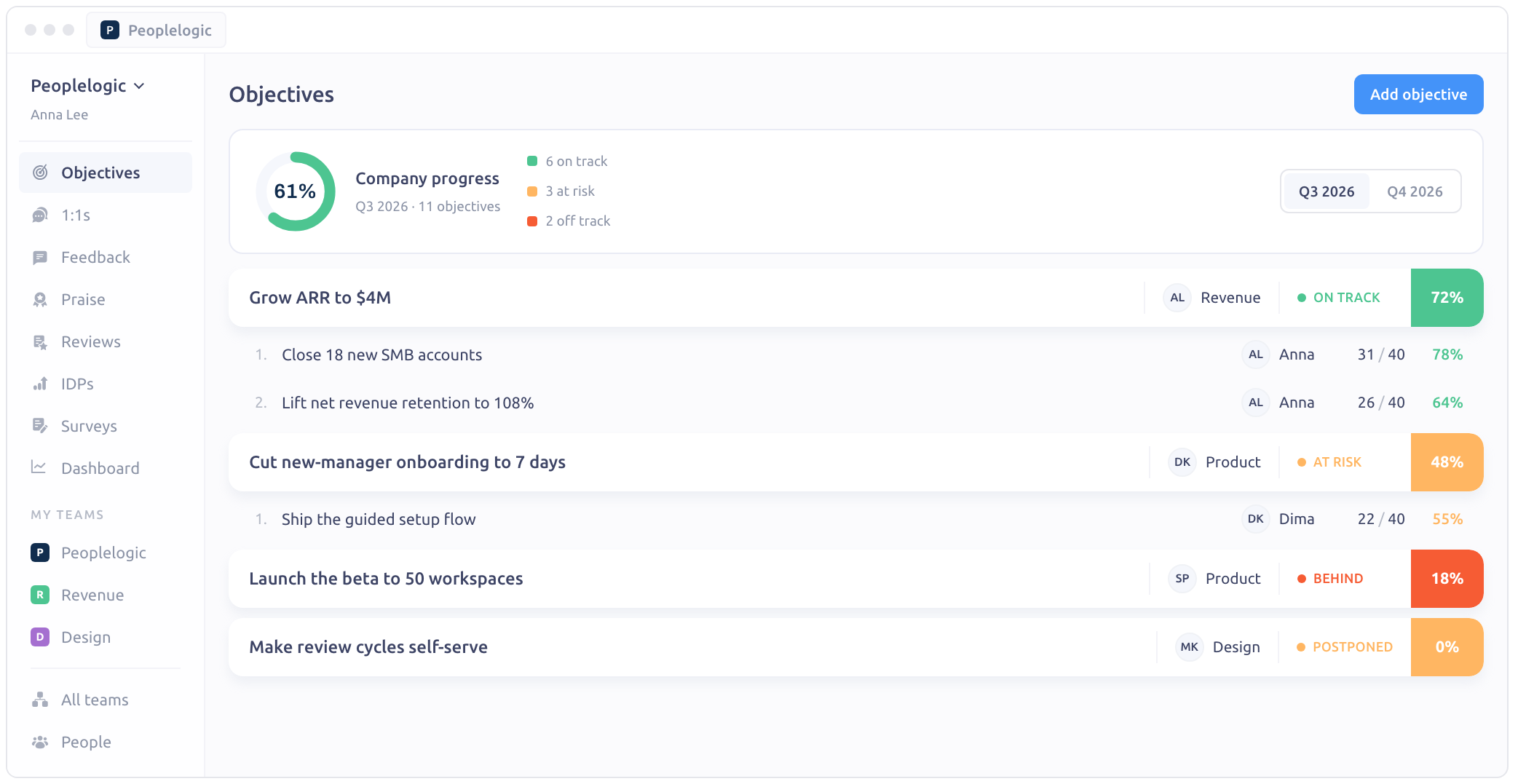
objectives
Most goals stop moving a few weeks after they're set.
Nearly half of the key results we see never get a progress update after they're set. When nobody notices a stalled goal, it sits untouched until review season.
Tied to company priorities
Every objective traces up to a company priority
No status meeting
Stalled goals are flagged and their owners reminded
Weighted scorecards
Each person's objective weights add up to 100%
Keep your current goals
Import OKRs, goals or EOS Rocks from Excel or CSV
How a cycle runs
Run a full OKR cycle without a spreadsheet on the side
Each cycle holds the objectives, key results, tasks and updates for that period. The progress leadership reads comes straight from what owners entered, so nobody rebuilds a status deck at the end of the quarter.
- AI drafts key resultsType a rough goal and AI suggests measurable key results. Each suggestion is a draft the owner edits before anything is saved.
- Cycles on your calendarSet each cycle's dates to match how your company plans, and keep past cycles for comparison.
- Key results measured from the baselineEvery key result has a start value, a current value and a target, so progress shows movement from where you began rather than from zero. Key results inside an objective can carry different weights.
- Tasks under each key resultBreak a key result into tasks so the owner and their manager can see the work behind the number.
- Shared goals with one ownerLink each objective to the one above it and add contributors, so a cross-team goal still has a single accountable owner.
- Edit rights you controlHR admins can always edit. You decide whether objective owners, key result owners and the owner's manager can change targets.
- Statuses that mean somethingMark an objective Complete or Postponed instead of leaving it parked at 60% until the cycle ends.
- Next cycle starts from this oneCopy a whole cycle with its owners, keeping tasks, comments and contributors or starting clean. Export any cycle to a spreadsheet for a board pack.
Every goal traces up to a company priority
Company objectives cascade to teams and individuals, and each objective links to the one above it, so every person can see which company priority their work supports. Shared objectives list their contributors. Each objective has its own visibility setting, so sensitive goals stay private.
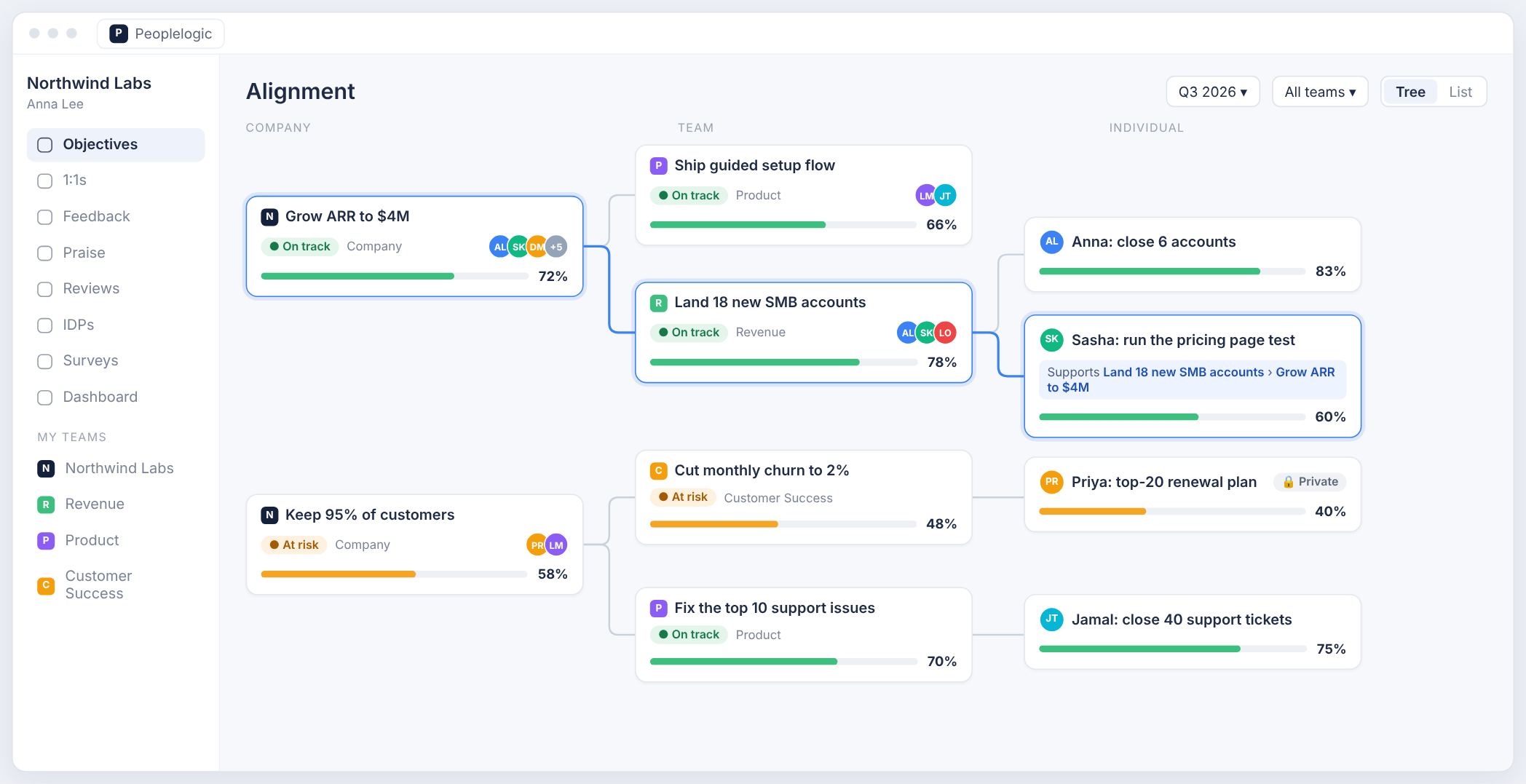
See which goals have stalled without a status meeting
Owners update a key result when the number moves, and progress rolls up from key results to objectives to the company. Anything at risk, behind or without an update in 14 days lands in Needs attention, and Impact reminds the owner. Each team's progress is saved over the cycle, so leadership sees the trend as well as today's number.

Bring the goals you already have, in whatever shape they're in
Upload the Excel workbook or CSV you already use, whether it holds OKRs, goals, EOS Rocks or a weighted scorecard. AI reads every sheet, splits key results packed into one cell and matches each set to a person or team. You fix anything in a preview, and nothing is saved until you confirm.
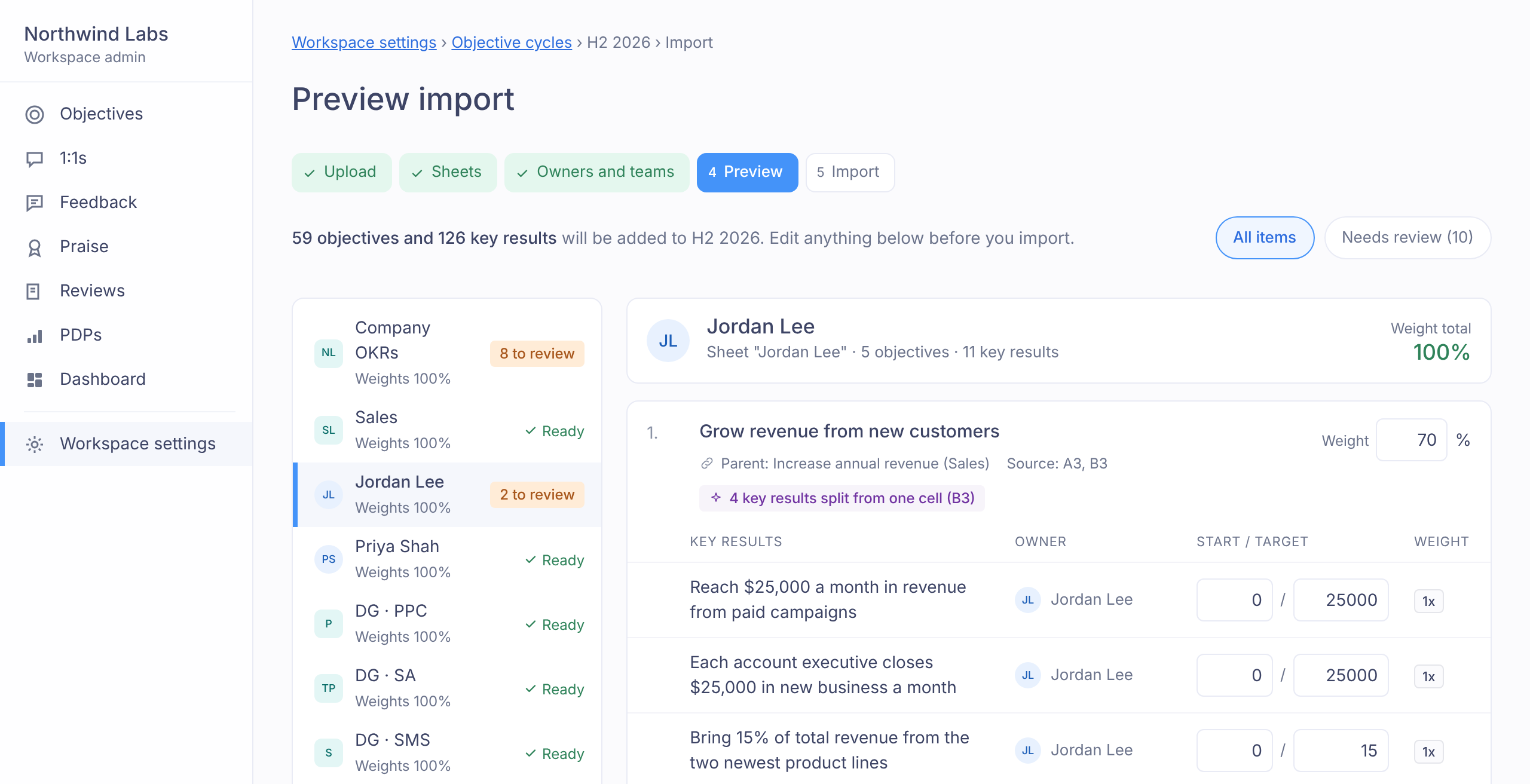
Objective weights
Make overall progress match the scorecard you agreed on
Give each objective a weight, and the weights for a person's or team's objectives add up to 100%. Overall progress then counts a 70% objective seven times as much as a 10% one, so a finished side project can't make a stalled priority look on track.
- Set every weight in one placeThe weights dialog lists the owner's objectives for the cycle with a running total. If the total is short, it shows the gap and can spread it across objectives that have no weight yet.
- See what moved the numberA breakdown lists each objective's weight, progress and the points it adds to the overall figure. Hover any segment of the progress bar for the same detail.
- Postponed work drops outA postponed objective is left out and the other weights are scaled back up to 100%. The breakdown shows how much was excluded.
- Team progress uses the same weightsTeam progress and its weekly and monthly history use the weights from the day they're set. Earlier history is not recalculated.
- Managers see each report's numberManagers see the weighted overall progress and breakdown for their direct reports, and admins can see anyone's.
- Nothing changes until you set weightsOwners with no weights see the same overall progress they see today.
Peoplelogic has helped us to align all the company around common Objectives, increase transparency, engagement, and visibility.
Set up with an HR expert
Someone who's run HR helps you import the goals you already have, decide how far to cascade them, and choose the visibility rules for each team.
“If you come onboard, the CX team genuinely cares and is always jumping into the mix and helping us figure things out.”
Patricia Amato, Chief of Staff, Chief Executive Magazine
Common questions
Do we have to retype the goals we already have?
No. An admin uploads the Excel workbook or CSV you already use, in whatever layout it's in, including EOS Rocks or a plain goals list. AI reads it, owners are matched to people and teams already in Impact, and you review every objective in a preview. Nothing is saved until you confirm.
Do you support weighted objectives?
Yes, at both levels. Weight each objective so a person's or team's objectives add up to 100%, and weight the key results inside each objective. Overall progress then counts the heavier items more.
How do goals show up in reviews?
Review forms can include an OKR question that pulls in each person's objectives, and goal history and updates sit in the context panel beside the form. Managers write from what happened during the cycle.
Works with the rest of Impact
Managers rate goal attainment from what actually happened, because goal history and updates sit beside the review form. Goal movement fills the 1:1 agenda, and goal ratings feed the performance axis of the talent grid, so nobody re-enters goal data.
See objectives running on your org chart.
We will load two of your real team goals into a sandbox before the call, so you look at your own work during the demo.